Your library, your rules: search, weekly digests, exports and privacy in GistBrief
Find anything you've saved in seconds, get a weekly email of what you read, export everything as CSV or Markdown, and stay in control of your data.
Farid Vatani
3 min read
Your library, your rules: search, weekly digests, exports and privacy in GistBrief
Saving things is easy. Finding them again is the hard part, and that's where most read-later apps let you down.
GistBrief is built around the opposite end of the journey: getting back to the right idea, fast. And because it's your reading, you stay in control of it: what you get, where it goes, and when it's deleted.
Find anything in seconds
Search everything you saved
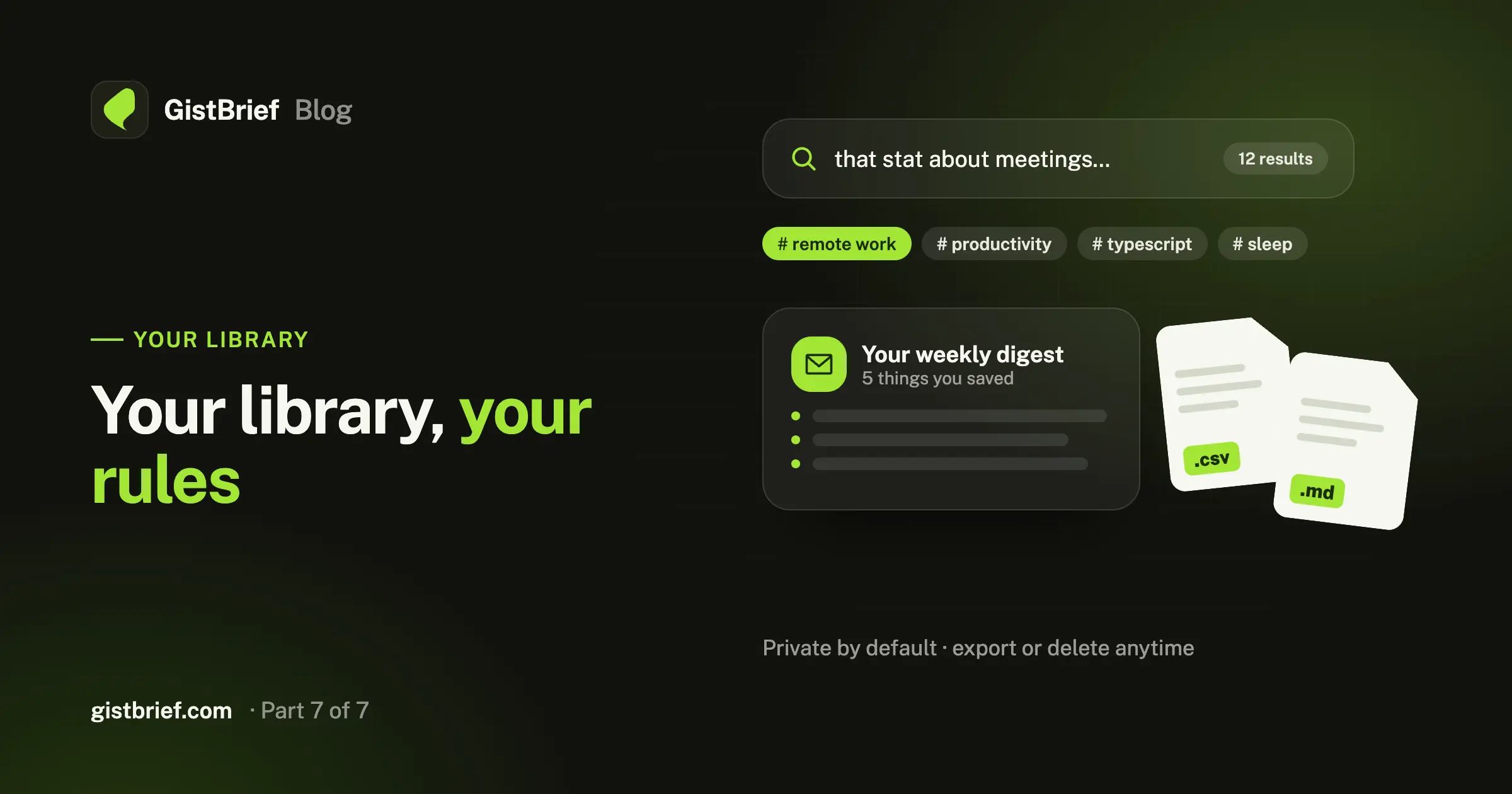
The search bar in your library looks through titles, summaries and the full text of every page you've saved.
That last part matters. You rarely remember an article's title. You remember a phrase, a stat or a product name from halfway down the page. GistBrief keeps the clean full text of every saved page, so a search for that half-remembered detail still finds it.
Browse by tag
Every brief comes with three to five topic tags. Click any tag, on a card or inside a brief, to see everything you've saved on that subject. With no folders to keep up, your library sorts itself as it grows.
Filter by status
Saved a big batch from a site scan? Filter by status to see what's still processing, what's ready to read, and what needs a retry.
Keep track of what you've read
Items start as unread and are marked read when you open them. Done with something? Archive it to clear it out of your main list without deleting it. Want to come back to it? Mark it as unread.
Read without leaving
Open any item to see its full brief, plus the author, publish date, when you saved it and which AI model wrote the summary. Expand Full content to read the cleaned-up article right there, with no ads and no pop-ups. The original is always one click away if you want it.
Let your library come to you: the weekly digest
A library you never open is a library you'll forget about. So GistBrief can email you once a week.
Turn on Weekly digest in your account and you'll get the latest things you saved, with their summaries, in one short email. It's a five-minute catch-up on your own reading.
- Skipped on quiet weeks. If you didn't save anything, we don't email you.
- One-click unsubscribe. Every digest has an unsubscribe link that works without signing in.
- Account emails, like password resets, are always sent. The digest is the only thing you opt into.
Take your data with you
Your library shouldn't be locked in. From Account → Your data you can download everything you've saved at any time, for free:
- Spreadsheet (CSV): open it in Excel, Google Sheets or Numbers, or import it into another tool.
- Markdown: perfect for Obsidian, Notion, a notes folder or a personal wiki.
Exports include each item's title, link, author, dates, tags and brief. Use them as a backup, move them into your second brain, or just keep a copy for peace of mind.
Privacy by default
Your library is private. Your saved pages and briefs belong to your account and nobody else can see them.
A few things we've designed on purpose:
- Sign in your way: with email and password or with Google. Sign-up forms are protected against bots.
- The browser extension knows as little as possible. It reads a page's address and title only when you choose to save, and it has no access to page content, your history or your other tabs. (Details here.)
- Delete anything, anytime. Remove a single item from its page, or delete your whole account from Account settings.
For the full details, read our privacy policy.
A library that's actually yours
Stop re-reading. Start remembering.